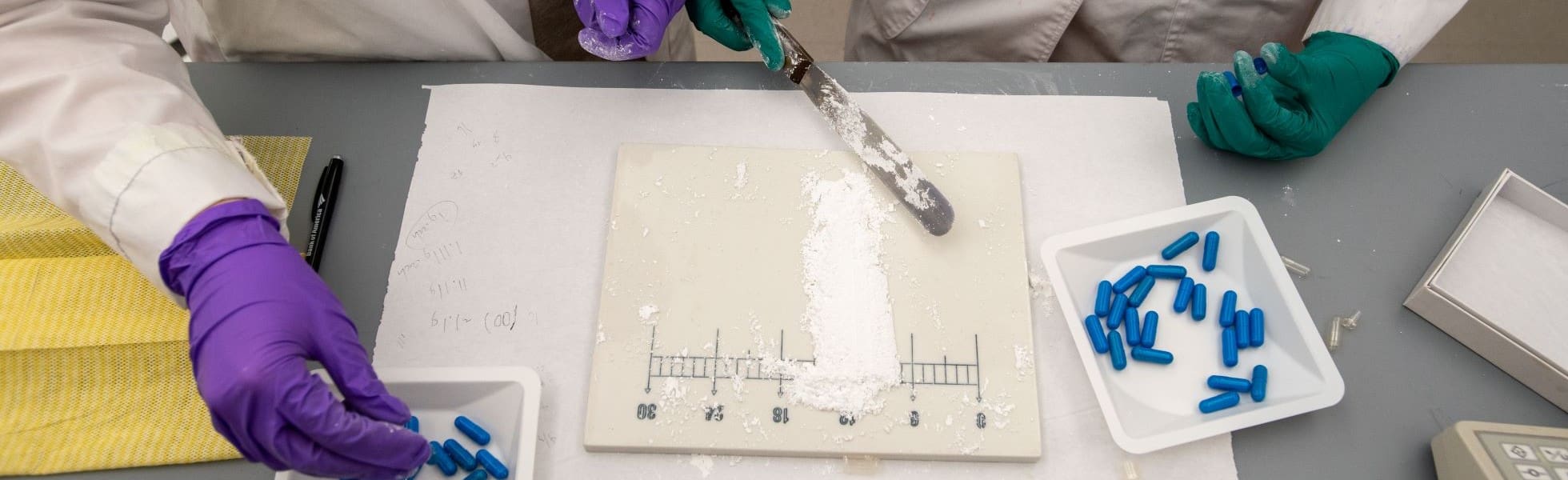
Pharmacy students compounding capsules.

Forms

UConn University-Wide Forms

Additional Degree Petition

An additional degree allows students to complete majors in two different schools or colleges. To declare a dual degree, students must acquire an Additional Degree Petition Form from the Registrar's Office and get the approval via Pharmacy Advising Center Staff.

Pass/Fail Grading

Students who wish to place a class on pass/fail option during a regular fall or spring semester must do so by completing a Student Enrollment Request Form (SERF), selecting the options for Pass/Fail grading, on the Registrar’s Office website by the deadline found on the Academic Calendar. These dates are different during summer/winter sessions, so make sure to review the Office of Summer and Winter Programs site for additional information.

Courses placed on pass/fail option may not be used to meet major, minor or general education requirements. Students must get permission from their advisor to place a class on pass/fail. Students placing more than one course on pass/fail in a single term must also receive permission from a Dean's Designee in the Pharmacy Advising Center.

Permission to Repeat a Course for a Third Time

Students who wish to repeat a course for a third time may do so with permission from the instructor and their advisor. Students must submit a Student Enrollment Request Form (SERF) to the Registrar's Office. Please note that if a student repeats and fails a course that they previously passed, it can result in loss of credit.

Late Course Addition & Withdrawal

Students who wish to add a class between the 10th day and 4th week of the semester or withdraw from a class after the 10th day but before the 9th week of the semester must complete a Student Enrollment Request Form (SERF) through the Registrar's Office. Please be aware of deadlines available on the Academic Calendar.

Students adding a class between the 10th day and 4th week of the term need the permission of the instructor, their advisor, and the head of the department in which the course is taught. To withdraw from a class anytime between the 10th day and the 9th week of the semester, students need approval from their advisor. Students who wish to drop two courses or more must also get permission from a Dean's Designee in the Pharmacy Advising Center.

School of Pharmacy and Pharmaceutical Sciences Forms

Ambassadors Application

Applications for the Pharmacy Student Ambassadors are currently closed.

Peer Advisors Application

Applications for the Pharmacy Peer Advisors are currently closed.

Student Organization Event & Space Requests

School of Pharmacy and Pharmaceutical Sciences student organizations can work with Susan Corbin to reserve space for events. Please email Susan requests and make sure to include:

  • Organization name
  • Primary contact(s)
  • Intended date(s)
  • Start and end times (please include set-up and clean-up in these times)
  • Preferred rooms (if applicable)
  • Estimated attendance
  • Technology (if requested)

School of Pharmacy Shadowing Request

School of Pharmacy Shadowing Request Form

This field is for validation purposes and should be left unchanged.
Name
Are you 18 years or older?
Interest in shadowing
We would enjoy the opportunity to reach out and learn more about your interests. Would you like someone at the UConn School of Pharmacy to contact you?

Major Change to Pharmacy Studies, Pre-Professional Program

Pharmacy Studies, Pre-Professional Program Progression Transition Appeal

Professional Electives Approval Request Form

PHRX 3099: Independent Study/Research

Students wishing to complete a PHRX 3099: Independent Study or Research course must request this through the Eforms section on Student Admin. PHRX 3099s must be approved by either your faculty advisor or Lyn. If adding individual or multiple PHRX 3099s will put you above 21 credits, please reach out to Lyn directly via email to request your term credit limit be raised. Please provide the total number of credits you anticipate taking in a given term.

Students must enter the correct information into the Eform request for it to be approved. Incorrect forms will be denied.

Steps for a Successful Eform

  • Communication and agreement with the appropriate faculty and/or staff member to arrange for the PHRX 3099 prior to completing the form.
  • Look up the appropriate section of PHRX 3099 for the Eform. This information can be obtained by going to the Dynamic Class Search in Student Admin, searching for PHRX 3099, and locating the appropriate instructor. Each instructor will have two sections, an Honors and non-Honors section. Only Honors students should use the Honors section. Clicking on the course number will allow you to determine if it is an Honors or non-Honors section:
    Screenshot of Student Admin Dynamic Course Search.
  • Undergraduate students (Pre-Professionals, P1s, and P2s who have not earned a BS in Pharmacy Studies) should choose the career undergraduate in the BS in Pharmacy Studies. Pharm.D. students (P3 and P4) should choose Pharm.D.
  • PHRX 3099 is an undergraduate course, and should be labeled undergraduate regardless of the level of the student.
  • Students who are doing a PHRX 3099 through a specific program in service to the School of Pharmacy (Ambassadors, Peer Advisors) can put Lyn as the advisor. Research-focused PHRX 3099s should go through your faculty advisor unless otherwise directed.

PHRX 3099 Registration

  1. Go to Student Admin > eForms > New Enrollment Change Form
  2. Under "Academic Information":
    1. For Pre-Professionals: PHARMPP_BS
    2. P1s and P2s:PHARSTD_BS
    3. For P3s:PHARM_PHRD
  3. Under "Select Your Advisor": Alexander, Lyn M
    1. For Pre-Professionals: Delaney, Megan Y
    2. For Professionals: Choose your faculty advisor OR Alexander, Lyn M
  4. Under "Request Details": Choose the current or upcoming semester, Add a New Class, Add Independent Study
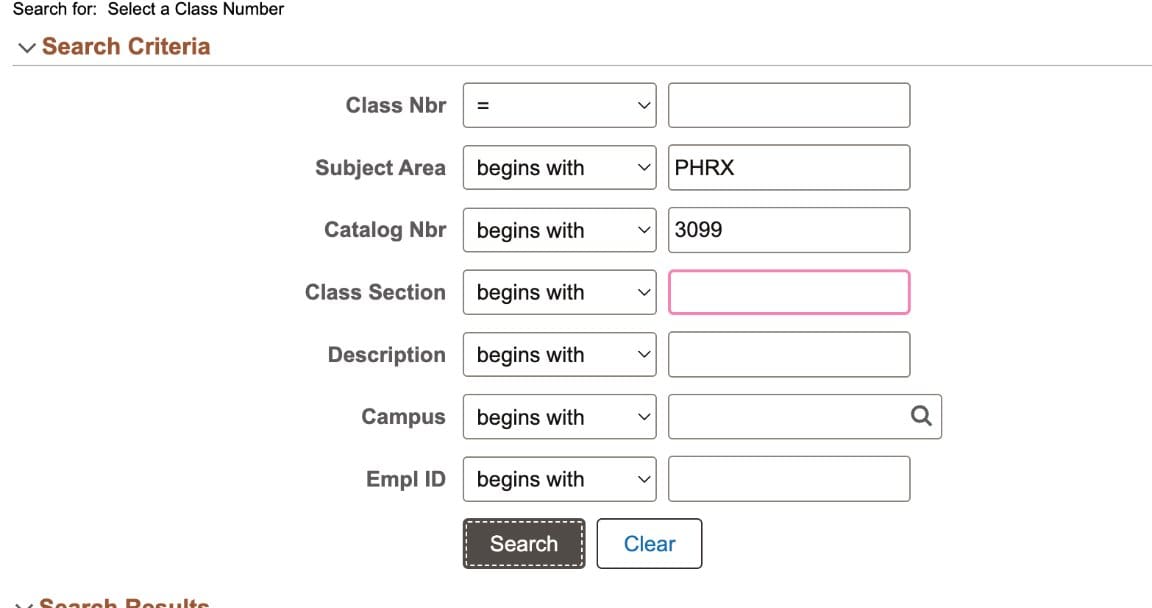
  5. Under "Add New Class" > Click on magnifying glass in the field titled "Select a Class Number" and fill in the fields as follows and then click search.
    Screenshot of Student Admin Select a Class Number
  6. Scroll down to select the row with the appropriate section number.
  7. Request the appropriate number of credits agreed upon with your faculty or staff member.
  8. Type in the title of your project.
  9. Under Student Statement toggle on "I Agree."
  10. Click Submit
  11. The form will route to the instructor > Susan > Faculty advisor or Megan or Lyn before being added to your record by the One Stop office.